


Focus Friend by Hank Green
4.91.67K Reviews
App Specs
- Version
- 1.8.0
- Updated On
- License
- Free
- Downloads
- 1,000,000+
- Developer
- Honey B Games
- Categories
- Productivity
- Platform
- Android
Screenshots


 Analysis by AppCompare
I like productivity tools best when they make starting feel easier rather than turning every unfinished task into another thing to feel guilty about. Focus Friend takes a friendly, character-led approach to that problem: you set aside time for a task and give a little digital companion a place in the routine. In my experience, that can make a work session feel less like staring down a to-do list alone. It won’t create focus on your behalf, but it can give your attention a simple structure to return to.
A gentler alternative to a bare timer
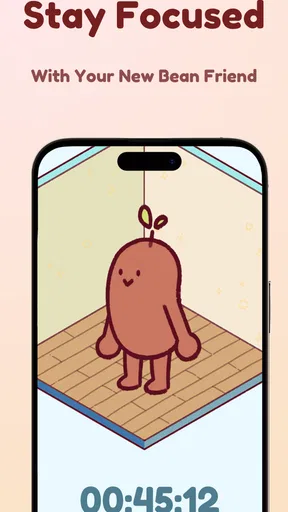
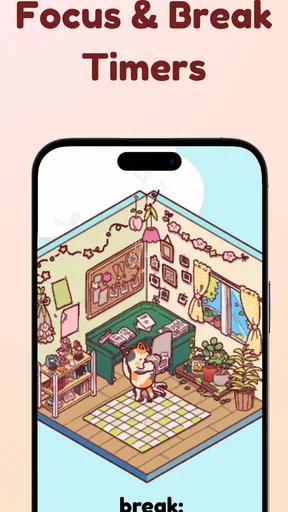
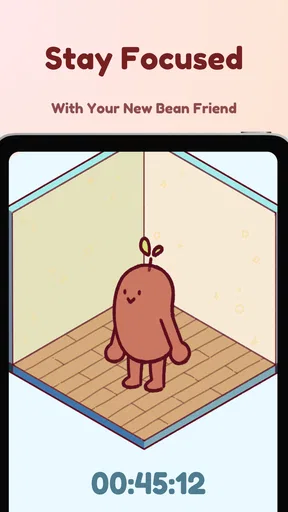
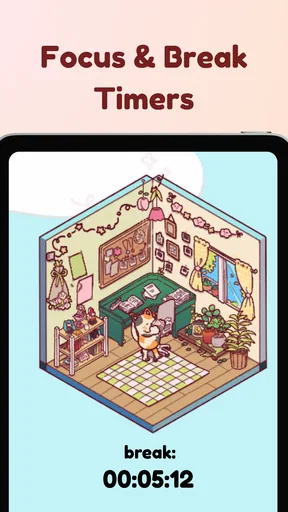
Most basic focus timers do one job: count down while you work. That can be plenty if all you need is a clock, but it may not help when the hard part is getting started or sticking with a session. This app adds a cozy, playful layer to the familiar timer format. Its bean-centered idea gives the session a bit of personality, so the routine feels more approachable than opening a stopwatch and watching minutes pass.
That difference is useful, but it is also a matter of taste. If you prefer a plain interface and minimal decoration, the character element may feel unnecessary. I see the appeal for someone who responds to small visual rewards, while a person who wants detailed scheduling, project planning, or strict distraction blocking may be better served by a more comprehensive productivity tool. A companion can encourage a habit; it cannot replace a system for deciding what deserves your attention.
Where the cozy approach can help
I’d use a session for a task that has a clear next step but feels easy to postpone: reading a chapter, reviewing notes, sorting a handful of emails, or beginning a household chore. The useful trick is to name the action narrowly before starting. “Draft the opening paragraph” is easier to approach than “finish the whole project,” and a timer is more helpful when the goal fits the time you have.
For example, imagine getting home with a work message you need to answer and a kitchen counter that has collected the day’s clutter. Rather than treating both as one looming evening of chores, you could choose one short, specific task for a focus session, then decide what comes next when it ends. That small boundary makes it easier to begin and gives you a natural point to check whether your attention is still on the right thing. I would not expect the app to decide your priorities; that part still belongs to you.
What to consider before relying on it
A timer-based routine is only as useful as the plan behind it. If you start a session without knowing what you mean to do, the countdown can become a performance rather than help. I’d also avoid setting an ambitious string of sessions on a day when interruptions are likely. A child needing attention, a call from work, or an urgent errand is not a failure of discipline. It is a reason to pause and choose a more realistic window.
Another practical point is that a focus app is not automatically the same as an app blocker. The published description centers on a supportive timer, and the experience described here should not be read as a promise that other apps or websites will be locked away. If your main problem is reaching for social media without thinking, you may need to pair this kind of gentle cue with device-level limits or a dedicated blocker. That combination can be more effective than expecting a friendly reminder to overcome every distraction.
Worth Reading Before You Choose

EA SPORTS FC Mobile 26 Is a Bigger Football Game, but It Takes Time

Flipboard Shows What News Apps Must Do Beyond the Feed

Switching to Android Auto Means Rethinking Your Driving Routine

Google Calendar Makes a Crowded Week Easier to Manage

Ludo King Makes the Most of the Minutes Between Plans

Baby Panda World Brings Quick Play to Modern Phones, but Its Game Library Feels Busy
There is also a question of fit over time. Character rewards can make early sessions more inviting, but their motivational pull may fade once the novelty wears off. To keep the routine useful, tie sessions to a repeatable moment—such as beginning study after lunch or doing a short reset before dinner—instead of depending on new unlocks to make every task appealing. That turns the companion into a cue for a habit, not the whole reason to work.
Who is likely to enjoy it
I think it is a promising fit for students, remote workers, and anyone who benefits from a warm nudge rather than a stern productivity dashboard. It may also suit people who find conventional timers a little cold and want a more cheerful way to mark focused time. Since it is a free productivity app from Honey B Games, it is easy to consider as a low-commitment starting point; in-app purchases range from $0.99 to $39.99 per item, so I’d check what is offered before spending and use the free experience to decide whether the routine itself works for you.
It is less suited to people who need advanced task dependencies, team coordination, calendar planning, or strong controls that prevent app switching. Those needs call for tools built around planning or blocking, not just encouragement. It may also be a poor match if cute visual design distracts you or if you want a timer that can be customized around a formal work method. A cozy presentation is a genuine strength for some people, not a universal improvement.
One question readers often have is whether they need to commit to long sessions for this style of tool to make sense. I would start with a manageable block and a task you can recognize as complete, then adjust based on whether the session helps you begin and stay with it. The point is not to prove endurance; it is to find a repeatable amount of focused time that fits your day. If interruptions are common, a shorter, clearly bounded task is more realistic than a long stretch you are unlikely to protect.
Another sensible question is whether it can replace a planner. I would not use it that way. A planner helps decide what to do and when; a focus timer helps you give one chosen task your attention. They can complement each other, but they solve different problems. I’d choose the task in a notes app, calendar, or on paper, then open the timer only when I am ready to work. That separation keeps the session from turning into time spent reorganizing the plan.
The Concept Behind Focus Friend
Alright, so here’s the deal with Focus Friend. The app is designed to be your digital buddy, helping you stay focused and productive. It’s like having a friend who gently nudges you back on track whenever you start drifting into the land of procrastination. The app blends a bit of gamification with productivity tools, which I found pretty intriguing.
The main idea is to set up sessions where you focus on a task, and the app provides subtle reminders and motivation. It’s not just about blocking distractions; it’s more about creating a supportive environment to help you get things done. At first, I was a bit skeptical. I mean, how much can an app really help, right? But as I used it, I found some pretty neat features that I think you’ll appreciate.
Setting Up Your Focus Sessions
Getting started was a breeze. You set up what they call "Focus Sessions." You pick a task, set a timer, and choose a little avatar to keep you company. The app has a variety of avatars, each with its own quirky personality. I went with a cute little robot that gives motivational quotes. It’s surprisingly encouraging!
During the session, the app gently reminds you to stay on task. If you start to wander off into social media or get distracted, it’ll nudge you back. It’s kind of like having a friend tap you on the shoulder saying, "Hey, remember we’ve got work to do!" What I really liked was that the reminders weren’t intrusive. They were just enough to bring me back without being annoying.
Features That Stand Out
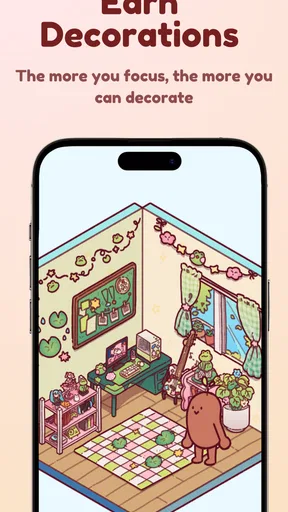
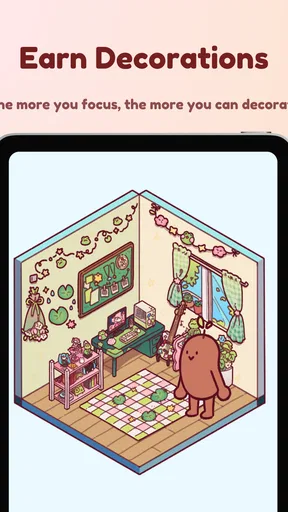
So, one of the standout features of Focus Friend is the "Reward System." Every time you complete a session, you earn points that you can use to unlock new avatars or themes. I found this pretty motivating. It’s like getting a little reward for staying disciplined. Plus, the avatars are super fun, which adds a bit of joy to the process.
The app also tracks your progress. You can see how many sessions you’ve completed, which tasks you’re spending the most time on, and even get insights into your productivity patterns. This helped me identify when I’m most productive during the day, so I could plan my tasks accordingly. The insights are simple but surprisingly effective.
Design and Usability
The design of the app is clean and intuitive. The interface is user-friendly, and I didn’t feel overwhelmed with too many options. Everything is pretty straightforward, which I appreciated. The color scheme is easy on the eyes, and the layout makes it simple to navigate between different sections.
One thing I noticed was that the app doesn’t bombard you with notifications. It respects your focus time, and I really liked that. When you’re trying to concentrate, the last thing you want is constant notifications pulling you away from your task.
My Personal Take
I have to say, I ended up really liking Focus Friend. It’s not a magic bullet, but it does provide a supportive framework that makes staying focused a bit easier. It’s like having a little friend cheering you on, which can be surprisingly effective.
If you’re someone who struggles with staying on track and could use a little encouragement, I think you’ll find this app helpful. The gamification aspect adds a fun twist, and knowing you have a little buddy by your side can make all the difference.
Focus Friend is rated 4.4 on average, with around 6,600 ratings and roughly 1,400 written reviews, and it has passed the one-million-install mark. Those figures suggest it has found an audience, though they cannot tell you whether its gentle style will suit your own habits. It is free to try, rated for Everyone, and the current version is 1.3.4; it runs on Android 7.0 and later. The developer is Honey B Games. I’d treat those details as useful context, not a reason to expect the app to solve every kind of distraction.
For a more useful first week, I would keep the setup deliberately simple. Pick one recurring task, use the same kind of session when you can, and note whether the app helped you start, stay on track, or return after being interrupted. Those are different benefits. If it helps you begin but not maintain concentration, you may need shorter blocks or fewer distractions around you. If it mainly helps you notice how often you postpone a task, that awareness can still be valuable even before your routine changes.
It is also worth being honest about interruptions. A reminder can bring attention back, but it cannot tell whether leaving the session was avoidable or necessary. I would pause rather than push through when a real-life responsibility needs attention, then return only if there is still time and energy. That keeps the app’s friendly framing from turning a normal interruption into a personal failure. The best use of a focus timer is supportive structure, not a test of willpower.
The app is listed as released on July 23, 2025. That makes version details worth checking if you are comparing advice from older discussions with what you see on your device; the current version may not match someone else’s screenshots or experience. I would also make any purchase decision slowly. The free starting point gives you room to find out whether the character-led routine actually helps before paying for optional items.
Overall, Focus Friend by Hank Green might just be the app you need to boost your productivity. It’s worth checking out if you’re on the hunt for a new strategy to stay focused and get things done. Give it a try and let me know what you think!
Pros
- User-friendly interface enhances focus.
- Customizable settings for personal needs.
- Regular updates with new features.
- Integrates well with productivity tools.
- Encouraging community with shared goals.
Cons
- Limited free version features.
- Requires internet for full functionality.
- No offline mode available yet.
- Occasional sync issues across devices.
- Subscription can be pricey for some.
FAQs for Focus Friend by Hank Green
What is Focus Friend by Hank Green?
Focus Friend by Hank Green is a productivity app designed to help users concentrate on tasks by providing a distraction-free environment. The app uses interactive elements and engaging prompts to assist users in maintaining focus, making it an ideal tool for students, professionals, and anyone seeking to improve their concentration.
How does Focus Friend enhance productivity?
Focus Friend enhances productivity by offering customizable focus sessions, where users can set timers and goals. The app uses gamified elements, rewarding users for meeting their objectives, and integrates reminders to keep them on track. Its user-friendly interface and motivational features make it easier to avoid distractions and boost efficiency.
Is Focus Friend suitable for both Android and iOS devices?
Yes, Focus Friend is available for both Android and iOS platforms. It can be downloaded from the Google Play Store and the Apple App Store, ensuring compatibility with a wide range of smartphones and tablets. The app's consistent updates ensure it runs smoothly across different devices.
Does Focus Friend offer any personalization options?
Absolutely, Focus Friend provides various personalization options to cater to individual user needs. Users can customize the duration of focus sessions, choose different themes, and adjust notification settings. These features allow users to tailor the app to best fit their personal productivity preferences and schedules.
Are there any costs associated with using Focus Friend?
Focus Friend offers both free and premium versions. The free version includes basic features, while the premium version, available through in-app purchases, offers additional functionalities like advanced analytics, exclusive themes, and extended support. Users can choose the version that best suits their needs and budget.


